Cleaning a Transceiver / Ball or Flat Lens
Regular optical connector cleaning tools, based on physically contacting the end face surface, are not capable of cleaning non-contact optical interfaces
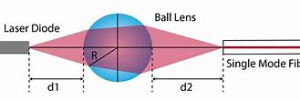
This is a short video of cleaning a Ball Lens. Play several times to locate the end of the swab at the lens w/ball.
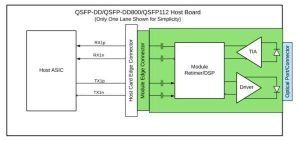
-

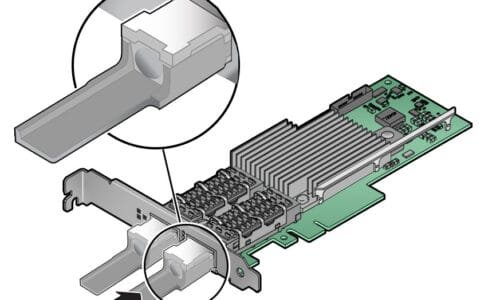
- SFP
***Tip for viewing Ball Lens
Focus Inspection to maximum closeup field view
Ball Lens image appears behind the glass

Ball Lens
***inspect = clean = reinspect
steve Lytle @ westover scientific
***If the transceiver’s loss reading is within acceptable limits, the device can be put into service.

If the port has a physical contact lens and the front of the lens is dirty, attempt to clean using the process below. If the contamination is on the back side of the lens, or on the ball lens at the bottom of the port, it is not possible to clean.
- Note, the hardness of the lens coating differs between transceiver types and manufacturers:
- Inspect and determine flat or ball lenses. You CANNOT clean a ball lens.
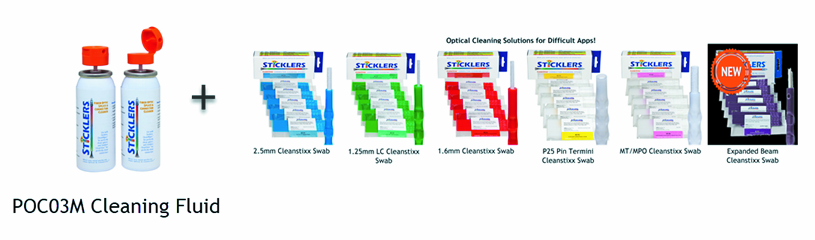
- If Flat, select the appropriate cleaning tool for the connector type. XMT = QSFP+ SPF = LC SPF
- Insert the cleaning tool into the transceiver port flat lens and clean with confidence. (see video if needed)
- RE-INSPECT and determine whether clean or dirty.
- If clean, the transceiver can be put into service.
- If dirty, repeat the cleaning process or replace the transceiver.
Stickler's Cleaning Products are available at your favorite West Coast DISTY; EBAY; Google; or Factory Direct @ FiberRep

***Good for Cleaning Transceiver
*** Inspect, Clean, and Re-Inspect ... 100% Spec Compliance ***

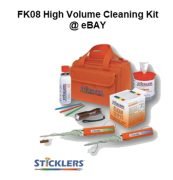
Sticklers FK08 High Volume Fiber Optic Cleaning Kit @ eBAY

Visit Wet/Dry Cleaning Solutions for adapter cleaning and end-face Cleaning for more product info or more of "My World" for more application notes
Use the MENU Above ... Email or call if you have questions